My search for an energy efficient home server on a budget
/ 4 min read
Some months ago I was looking to upgrade my home server setup and I started to search for something versatile and, most importantly, energy efficient. Here I will guide you through my steps.
Hardware
The first step is to look for the right hardware. If you already have an old computer collecting dust you can use that one, check the power consumption at idle with a watt meter and remove the battery in case it’s a laptop. Why idle? Because most of the time your server won’t be working full power unless you are doing some long computations.
Single board
A common way to get into self-hosting is by using a single board computer, like the Raspberry Pi, as your server. There are many advantages to this approach like cost, form factor and power consumptions. For many years my trusted Raspberry Pi 3b helped me to learn new technologies but with time I encountered two main limitations: expandability and performance. There are a lot of modules/add-on to use but those aren’t made for a home server usage and I wanted something more powerfull.
Some single board computers try to overcome these limitation by rocking Intel CPUs, adding SATA ports, PCIe and SODIMM slots(for example the ZimaBlade). Those options are not bad but are still limiteted in performance because they usually come with low-tier processors such as the Celeron/Atom from older generations, you don’t have to buy the latest gen but I think you can get better value for your money.
Custom build
If you know your way around computer hardware a custom build is a good option, plus it gives you the ability to upgrade over time. To keep it on a budget search the used market but, since energy is an important factor, you have to choose components with the lowest power consumption possible at idle. Also the less hardware the better, each component will increase the total power consumption so choose based on your needs.
As a general advice: search for a Intel 8th+ gen, mini-ITX motherboard and a SSD with ASPM & APST support. AMD Zen is known to have higher power draw at idle, but it got better recently.
Tiny desktop
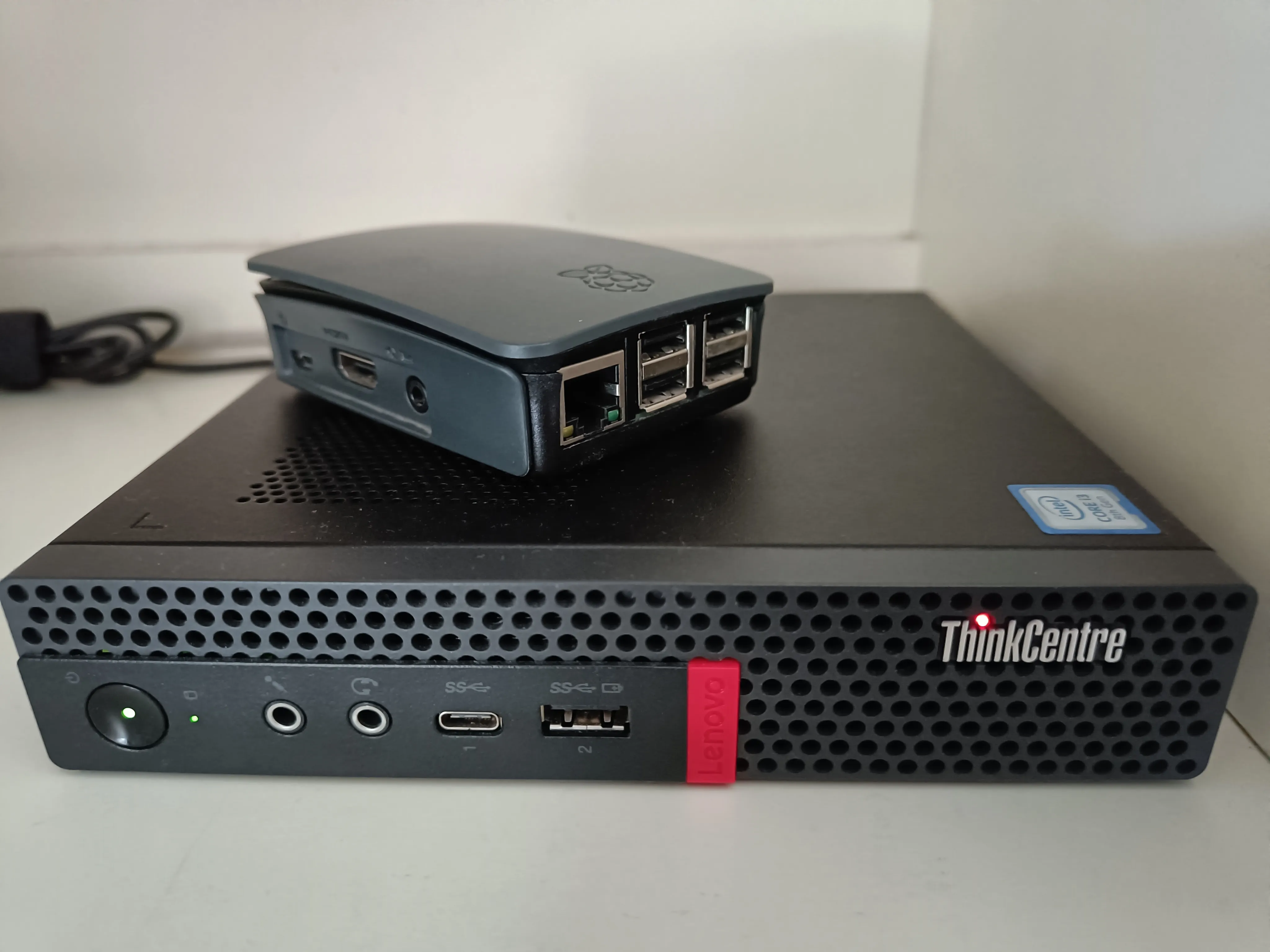
The last option to consider is a tiny desktop computer or an Intel NUC(rest in peace), the one usually found in offices. These computers are compact and energy efficient by design. As you probably saw from the cover image I settled for a used Lenovo ThinkCentre M920x for less than 200€ with the following specs:
- CPU: Intel i3 8100 4 cores
- GPU: Intel UHD Graphics 630
- RAM: 1x16GB 2400 Mhz
- Storage: Kingston A2000 NVME 500GB
I went with this option beacuse it was cheaper than a custom build, it has many option in the BIOS to manage power consumption and is expandable.
A more detailed review of this model(with different specs) can be found here and the full specs sheet here. Other tiny desktops you can search for are Dell’s Optiplex and HP’s Prodesk/Elitedesk, which share similar features.
Optimization
Energy efficient hardware is the main aspect but we can improve on it with some software tweaking. The first thing I did was to search in the BIOS all the options related to power and disabling the rear USB ports.
I chose Proxmox VE as the operating system, it’s my first time using it and so far I really like it! After setting up basic stuff I created a service that runs Powertop auto-tune, changes the CPU governor to powersave and sets Intel EPB to the “power” profile. The Arch wiki has a good documentation about the governors and Intel EPB here.
# If you just installed Proxmox the default user is rootapt install -y powertop linux-cpupowernano /etc/systemd/system/optimize-consumptions.serviceThis service will run once at boot and will be shown as active.
[Unit]Description=Auto tune system with powertop, set governor to powersave and change EPB to power
[Service]Type=oneshotRemainAfterExit=trueExecStart=/usr/sbin/powertop --auto-tuneExecStart=/usr/bin/cpupower frequency-set -g powersaveExecStart=/usr/bin/cpupower set -b 15
[Install]WantedBy=multi-user.target
systemctl daemon-reloadsystemctl enable optimize-consumptions.servicesystemctl start optimize-consumptions.servicesystemctl rebootChecking Powertop idle stats wihout any container or virtual machine running, the system reaches C9 which is the best we can achieve before shutting down the CPU(C10).
| C-State | Time % |
|---|---|
| C2 | 2.7 |
| C3 | 0.0 |
| C6 | 0.0 |
| C7 | 0.3 |
| C8 | 3.4 |
| C9 | 90.1 |
| C10 | 0.0 |
Overall the system draws around 3 watts without hosting any service, I will measure the final power consumption when all my services are up and running(WIP). That’s all for now.